


Websites & Forms
High-converting landing pages and data capture tools.
Every moment observable.
Dynaris gives teams call infrastructure with IVR, intelligent routing, recordings, transcripts, and analytics — so you can monitor, review, and improve every conversation from one platform.

Connects with tools you already use
Automatically respond to leads, schedule appointments, and follow up with customers while you focus on growing your business.
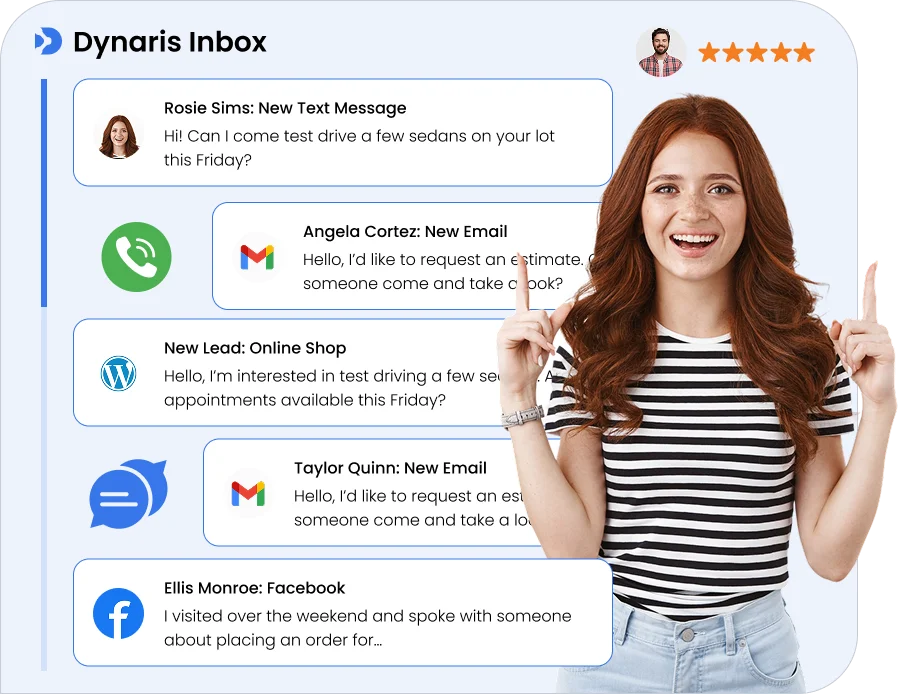
Never lose a potential customer again, manage every call, message, website chat, review, and third-party notification in one unified inbox.
Dynaris brings your customer-facing and revenue-moving work into one operating layer — so every inquiry has a next step, every customer has context, and every team member knows what to do.
High-converting landing pages and data capture tools.
Omnichannel communication hub for every lead interaction.
Automated meeting coordination and appointment management.
Custom logic to connect your tech stack and tasks.
Revenue Core
Unified Data
Never miss a lead with automated nurturing sequences.
Secure storage for contracts and customer resources.
Professional documents and seamless payment collection.
Visual sales stages to track every dollar in the funnel.
Revenue Core
Unified Data
High-converting landing pages and data capture tools.
Omnichannel communication hub for every lead interaction.
Automated meeting coordination and appointment management.
Custom logic to connect your tech stack and tasks.
Never miss a lead with automated nurturing sequences.
Secure storage for contracts and customer resources.
Professional documents and seamless payment collection.
Visual sales stages to track every dollar in the funnel.
Capture calls, emails, messages, and system events in one intelligent workspace.
Dynaris automatically detects what matters, updates records, assigns tasks, and triggers the right next steps in real time.
You can process high volumes faster and stay on top of every action without manual effort.


Keep all your customer data organized in one place. Every contact includes calls, emails, files, invoices, notes, and full activity history, so nothing gets lost.
AI automatically enriches records and keeps information up to date, giving your team complete context before every interaction.
Stay organized, respond faster, and build stronger relationships.
Manage your sales pipeline with full visibility from lead to close. Quotes are automatically linked to contacts so nothing slips through.
Track every opportunity through each stage:
Lead -> Discovery -> Quoting -> Negotiation -> Close.


Track invoices, payments, and collections in one unified workspace. Monitor due dates, payment status, and booking-linked transactions to ensure nothing is missed.
Stay on top of outstanding balances, overdue invoices, and paid records with real-time visibility across your entire billing flow.
From invoice creation to final payment, manage every step with clarity, control, and complete financial transparency.
Everything you need to run smarter, faster, and more efficiently.
From conversations to conversions, automate the work that slows you down.
Turn conversations into scheduled appointments automatically. Keep every interaction fast, clear, and friction-free, so customers book without hesitation.
Get StartedCreate, customize, and preview your site in real time. No complexity, just a streamlined workflow designed to get you live faster.
Launch Your WebsiteRun your schedule with precision. Automated bookings, zero manual follow-ups, and consistent execution that keeps your business moving.
Start Automating Now
Real results from teams that have redefined their growth trajectory using our platform.
“Our agents were spending half their day on follow-up calls that never connected. Dynaris handles the entire inbound funnel now — answers inquiries, schedules showings, and follows up automatically. Our response time went from 6 hours to under 2 minutes.”

“I was losing potential clients every evening and weekend because no one was answering the phone. Dynaris picks up instantly, qualifies the case type, and books a consultation. I stopped losing clients to competitors who happened to pick up first.”

“We were losing 40% of leads to voicemail when my crew was on the roof. Dynaris answers every call now — qualifies the job, books the estimate, and texts me the details. We booked $18K in new work the first month.”

Concise reference for procurement, operations, and technical review.
Dynaris is call infrastructure with IVR, intelligent routing, recordings, transcripts, and analytics. Teams use it to route inbound and outbound calls, monitor performance, and improve every conversation from one observable workspace.
Sales walkthroughs are complimentary. When you are ready to move forward, our team will walk you through workspace setup and the plan that fits your volume.
Auto Mode is a single toggle that switches Dynaris from manual to fully autonomous operation. When enabled, every incoming event from your connected tools — a new email, a Slack mention, a Jira ticket, a calendar conflict — is automatically processed by the appropriate agent without waiting for your approval. You can disable it anytime to return to manual review.
Auto Mode is a per-user preference, so each team member controls their own autonomy level.
Dynaris has a built-in scheduler that supports three modes: Cron expressions for recurring patterns (e.g., every weekday at 9am) Rate expressions for intervals (e.g., every 30 minutes)
One-time schedules for specific dates Each schedule runs in its own timezone. Schedules track execution count and failures.
Schedules can be enabled or disabled without deletion. You can create schedules from the UI or let the AI agent create them for you during a conversation.
Dynaris processes real-time events from: GitHub (commits, PRs, labels, stars, followers) Gmail (new messages, sent emails)
Google Calendar (event sync, new events, starting soon, attendee responses) Slack (messages, DMs, threads, bot events, group messages) Jira (new and updated issues)
Voice calls (call complete events) Each connector can have individual triggers enabled or disabled. Events stream to the UI in real time via SSE.
When an event arrives or a schedule fires: Dynaris routes it to the right agent with full context (event data, your connected tools, and your workflow configuration). The agent breaks the task into steps.
The agent invokes the necessary tools. The agent executes the workflow end-to-end. For example, a new GitHub PR could trigger:
Code review A Slack notification to your team A Jira status update
All in one automated flow.
Not at all. You interact with Dynaris through natural language chat. Say "Send a summary of today's Linear issues to the team on Slack" and it handles everything once your accounts are connected.
You can also set up schedules from the UI. Configure event triggers per connector. Toggle Auto Mode with a single click.
If you are technical, you can build custom agents and deploy dedicated MCP servers.
Dynaris connects to 200+ services including: Gmail · Outlook · Slack · Discord · Microsoft Teams · GitHub · Linear · Jira · Asana · Monday.com · Notion · Airtable · Google Drive · Google Docs · Google Sheets · Google Calendar · HubSpot · Salesforce · Stripe · Shopify · Twitter/X and many more. Each tool becomes both an integration (for outbound actions) and an event source (for inbound triggers).
The connector catalog lets you search, connect via OAuth, and configure per-trigger settings.
Yes. Dynaris works for solo operators, small businesses, and enterprises alike. Each user's data stays completely separate and private.
Everything is logged for compliance and audits. You get granular control over who can use which tools and agents. It scales to handle multiple users running autonomous workflows simultaneously.
You can deploy it on your own servers for complete data control.
Security is foundational. Dynaris is CASA Tier 3 Approved, meeting rigorous security and compliance standards. Connected account credentials are encrypted and never shared with AI agents.
Each user's data is completely isolated. Sensitive information is automatically redacted before processing. All actions are logged with full audit trails.
For sensitive operations, Dynaris requests explicit approval. Enterprise plans offer dedicated infrastructure and complete data control on your own servers.
Each AI agent is a specialist with dedicated tools for its domain. The Gmail agent reads, writes, searches, and organizes emails. The GitHub agent manages PRs, issues, and repositories.
The Slack agent handles messages across channels, DMs, and threads. These agents collaborate — the Gmail agent might ask the Web agent to research a topic before drafting a response. When an event triggers, the coordinator automatically routes it to the right specialist.
Yes, Dynaris includes a native contact management system. Supports CSV import and export. Allows inline editing and follow-up scheduling.
Provides rich file viewing (PDFs, DOCX, spreadsheets, images, audio, video). Includes in-app editors and file deployment features. Upload documents like PDFs, Word files, spreadsheets, and text files.
Converts documents into searchable knowledge using vectorization. Lets you ask questions and find relevant information across all documents. Can summarize reports and extract structured data.
Answers questions based on your uploaded content. Ensures all data is securely stored and accessible only to you.
Book a demo and we walk through your channels and tools. After onboarding, connect integrations and configure your agents with guided setup. Once live, enable Auto Mode or start chatting.
Try "Check my Gmail and summarize urgent messages" or set up a schedule to "Send a daily standup summary to Slack at 9am." Everything streams back in real time. Email team@dynaris.ai if you need help.
Route inbound and outbound calls with IVR, intelligent routing, recordings, and reporting — with the visibility to improve every conversation.


